Design · Email marketing
Emails people actually open.
Campaign emails, newsletters, and the ones that go out on their own when someone signs up or leaves something in their cart. Designed to match the rest of your brand.
I’ve designed emails for retail brands for most of my career, mostly weekly sends that had to hold their own in a full inbox. Small businesses need the same thing, just without a marketing team behind them.

(01) What matters
Brands I’ve worked with





Platforms
- Klaviyo
- Mailchimp
- Shopify Email
- Omnisend
- Flodesk
- Campaign Monitor
Your list is yours
Social media decides who sees your posts. Your email list is the one audience you actually own, and nobody can start charging you to reach it.
It should look like you
For a lot of customers your emails are the only thing they see from you between orders, so they should look like the same business as your website and your packaging.
Made for phones
Most emails get opened on a phone, so I design for that first: bigger text, one clear button, and nothing you have to zoom in on.
One thing per email
I keep each email to one main message. Try to say six things at once and people tend to skip all of them.
(02) Email flows
A welcome flow
Trigger
Someone joins your list
Straight away
01WelcomeTwo days later
02Who you areThree days later
03What to buy firstPlaces an order?
They leave this flow and move on to post-purchase.
The ones that send themselves.
Email flows are automated emails that go out when someone does something: signs up, leaves something in their cart, places an order. You set them up once and they keep working in the background.
I design the emails, work out the order and timing they go out in, and build the flow in your platform. These are the ones most small businesses need:
- Welcome series
- Two or three emails after someone signs up, so they get to know you before you ask them to buy anything.
- Abandoned cart
- A reminder when someone leaves something in their cart, sent while they’re still thinking about it.
- Browse abandonment
- A gentler nudge when someone looked at a product but didn’t add it to their cart.
- Post-purchase
- Thanks for the order, how to get the most out of what they bought, and later on, asking for a review.
- Back in stock
- Lets people know the moment something they wanted is available again.
- Win-back
- A friendly hello to customers who haven’t ordered in a while.
(03) A full flow suite
MIMCollective, MIMCO’s loyalty program.
Eighteen emails across six flows for MIMCO’s member program: onboarding, next shop, reward reminders, birthdays and milestones, tier changes and win-back.
Hover an email to scroll through it.
Three emails for new members: a welcome, a bit about MIMCO, and their first $15 reward.
01 · Welcome
You’re in.
Welcome to MIMCollective.

02 · Getting to know MIMCO
A world of MIMCO awaits…
It’s official, you’re part of MIMCollective.

03 · First reward
What’s this? A $15 reward!
Time to treat yourself.

(04) Some I made
Handee’s emails.
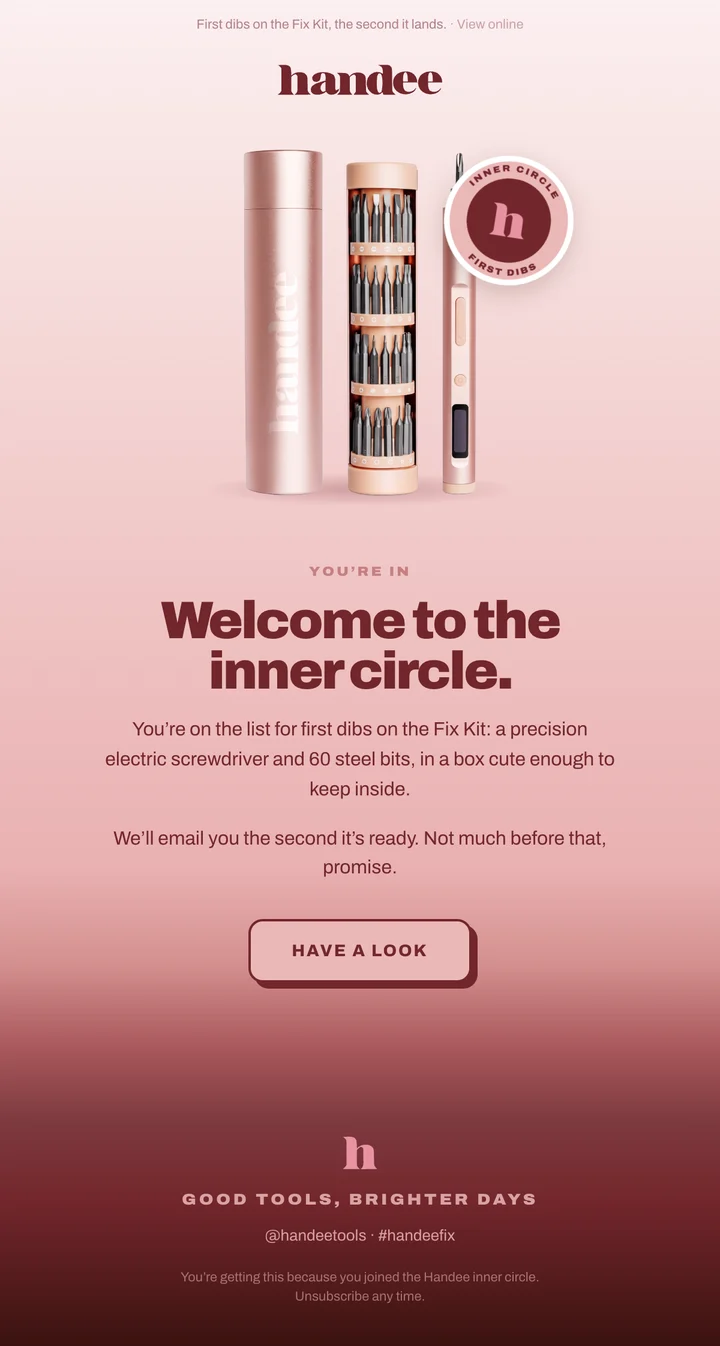
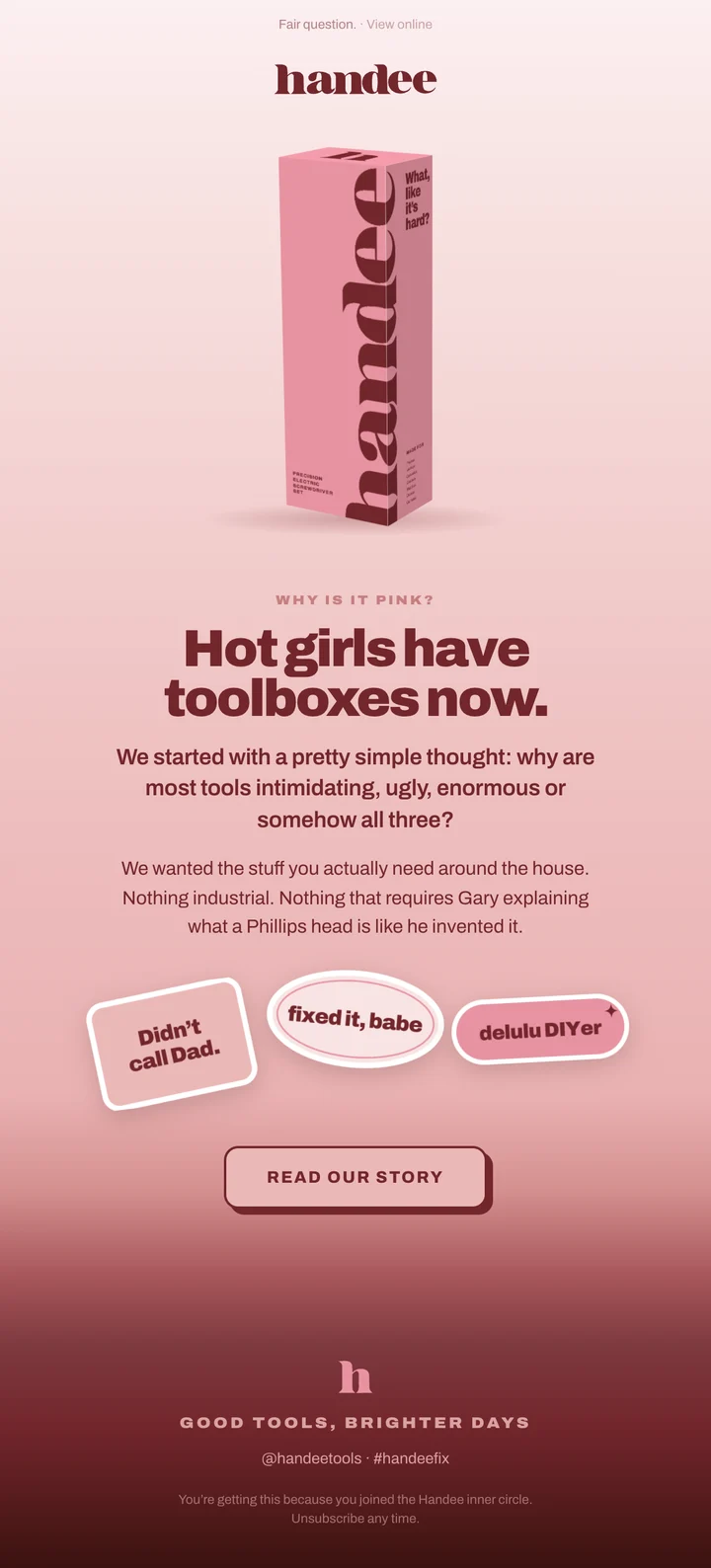
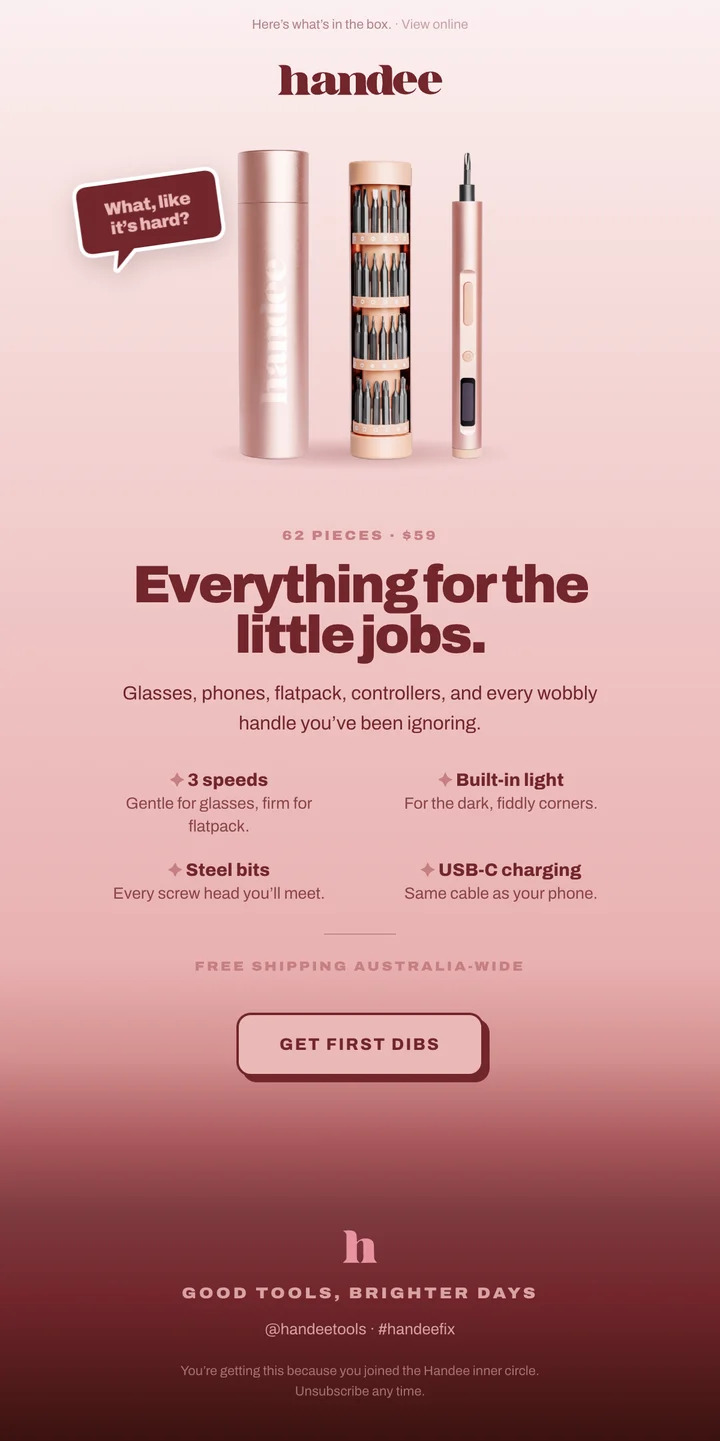
A welcome flow, an abandoned cart flow and a sale, for Handee, a tool brand launching this year.
Goes out over the first week after someone joins the waitlist: hello, then who they are, then what’s in the box.
01 · Straight away
You’re in.
First dibs on the Fix Kit, the second it lands.
02 · Two days later
Why is it pink?
Fair question.
03 · Three days later
62 pieces. Zero handymen.
Here’s what’s in the box.
(05) What you get
What goes in one
- Subject and preview
- Your logo
- One image
- One message
- One button
- Footer and unsubscribe
- A template in your brand, set up in whatever platform you use
- Campaign emails for launches, sales and new products
- A newsletter layout you can fill in yourself
- Email flows built and running in your platform
- Real text instead of pictures of text, so it loads and reads properly
- Alt text and a plain-text version, so it’s more likely to land in the main inbox
- Images sized so it loads quickly on a phone
(06) Questions
- Which platform do you work in?
- I build in Klaviyo and Mailchimp. Shopify Email and Campaign Monitor work much the same way for design, so if you’re already on one of those that’s fine too. If you haven’t picked one yet, I can help you choose one that suits your size, because the pricing varies a lot.
- How often should I send?
- For most small businesses once a month is plenty, as long as you stick to it. One good email a month is better than four rushed ones and then nothing until Christmas.
- I already post on social. Do I need emails too?
- Social is good for being found. Email is how you stay in touch with people who’ve already bought from you or asked to hear from you, and it reaches all of them, not just whoever the algorithm picks that day.
- Can I send them myself afterwards?
- Yes. You get a template set up for you, so the next one is just changing the words and the pictures.
- Which flows should I start with?
- Welcome and abandoned cart. They make the most difference for the least work, and the rest can come once those are running.
- Will it work in Outlook?
- Outlook is the hardest one, but yes. I keep the layout simple and use real text, so it still looks right when an email app ignores some of the styling.
- What if I don’t have a list yet?
- Then we start one. A sign-up on your website, a good reason to join, and a welcome email that goes out as soon as someone signs up. That welcome email is usually the one that does best.
(07) Start a project